Signature Maker — free digital signature app android
Signature Maker app icon

Signature MakerSign & annotate PDFs

iStack

Productivity

Create digital signature, sign PDF docs and photos. Esign maker, document signer
10+Downloads
FreePrice
EveryoneRated
Install on Google Play
Free to downloadNo accountAndroid

Updated Mar 19, 2026

About Signature Maker

Signature Maker: Sign PDF is the fastest way to create a digital signature and sign PDF documents right from your phone. Whether you need to sign a contract, fill and sign a form, or add your signature to photos — this signature maker handles everything in seconds.

SIGN PDF DOCUMENTS INSTANTLY

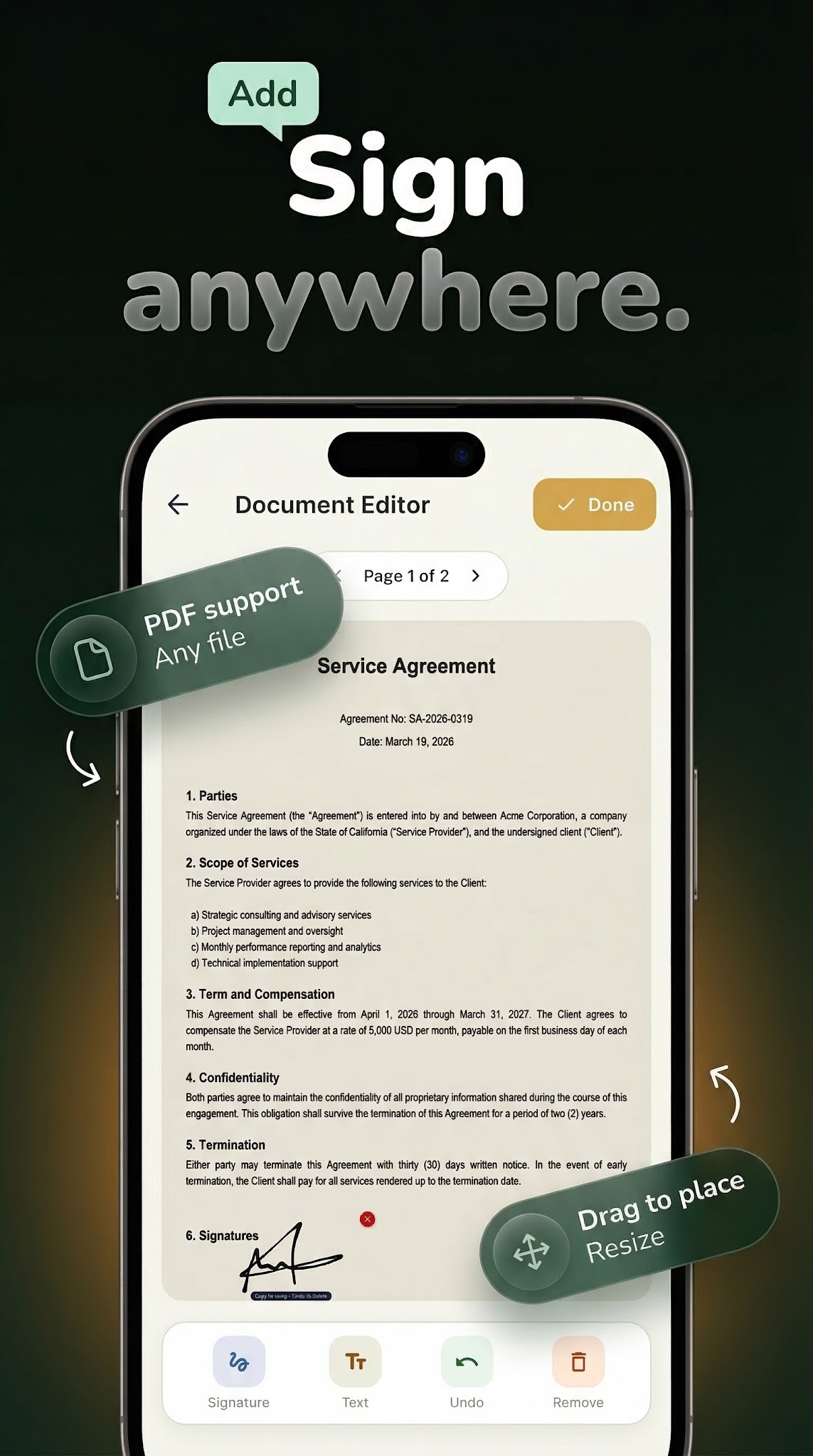
Open any PDF, tap where you want your signature, and sign. No printing, no scanning, no faxing. This document signer lets you sign PDF files, agreements, contracts, and forms on the go. Upload your document from your device, place your signature exactly where it belongs, and export the signed file as a finished PDF.

CREATE YOUR SIGNATURE IN SECONDS

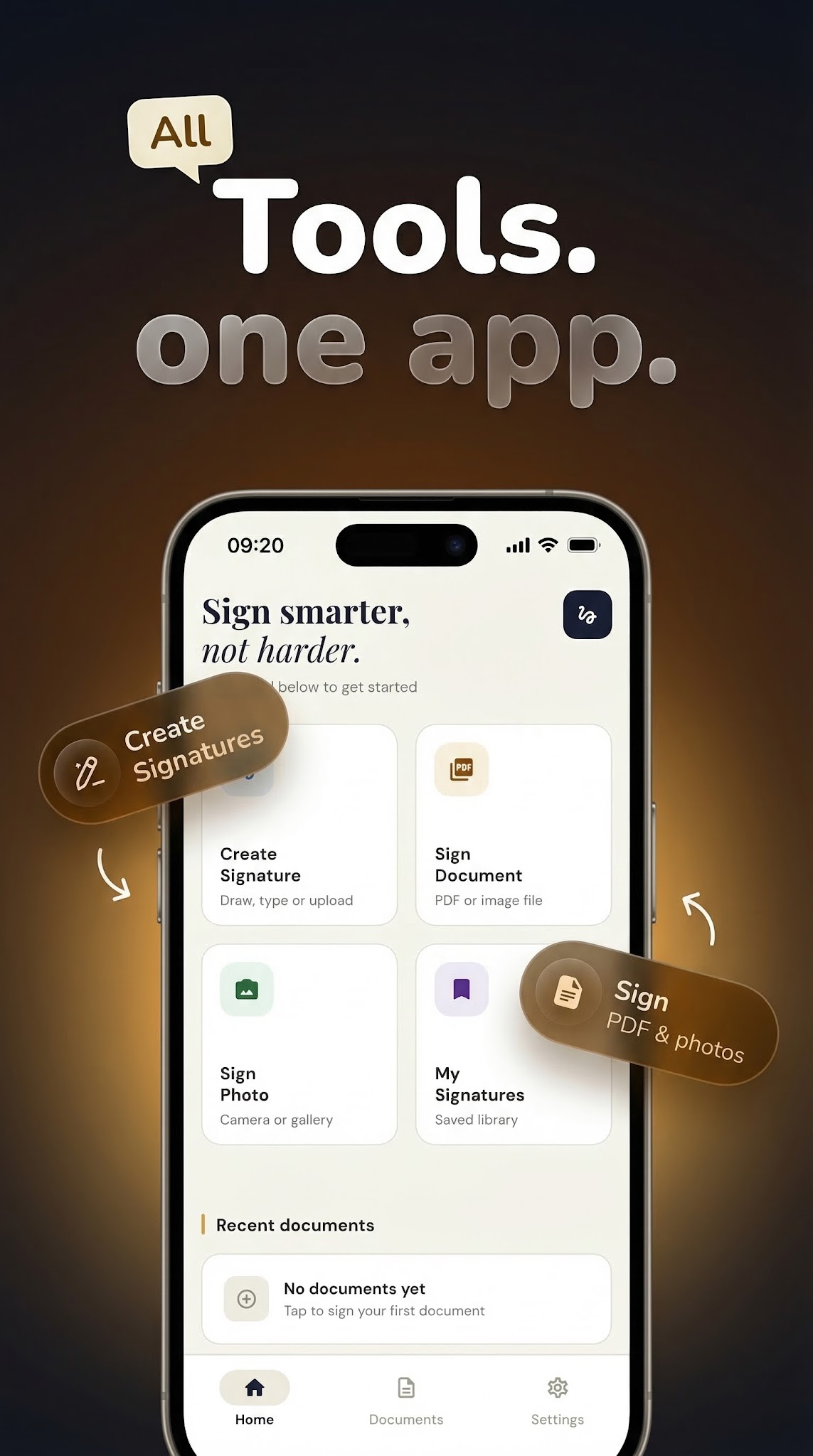
Draw your signature with your finger using our smooth drawing canvas. The pen stroke rendering captures every detail of your handwriting. Or choose the typed signature mode — select from multiple professional fonts to generate a signature from your name. Save multiple signatures and reuse them anytime from your signature library.

SIGN PHOTOS AND IMAGES

Add your signature to any photo or image. Position and scale your signature overlay precisely where you want it. Perfect for watermarking your work, signing printed forms you photographed, or adding a personal touch to images you share.

DOCUMENT EDITOR WITH TEXT OVERLAY

Place signatures and typed text on PDF documents and images. Use the editor toolbar to navigate pages, position elements, and build complete signed documents. Add text fields for dates, names, addresses, and notes alongside your signature.

MANAGE YOUR SIGNATURE LIBRARY

Save every signature you create. Access your saved signatures instantly whenever you need to sign a new document. No need to redraw — your signature repository keeps everything organized and ready.

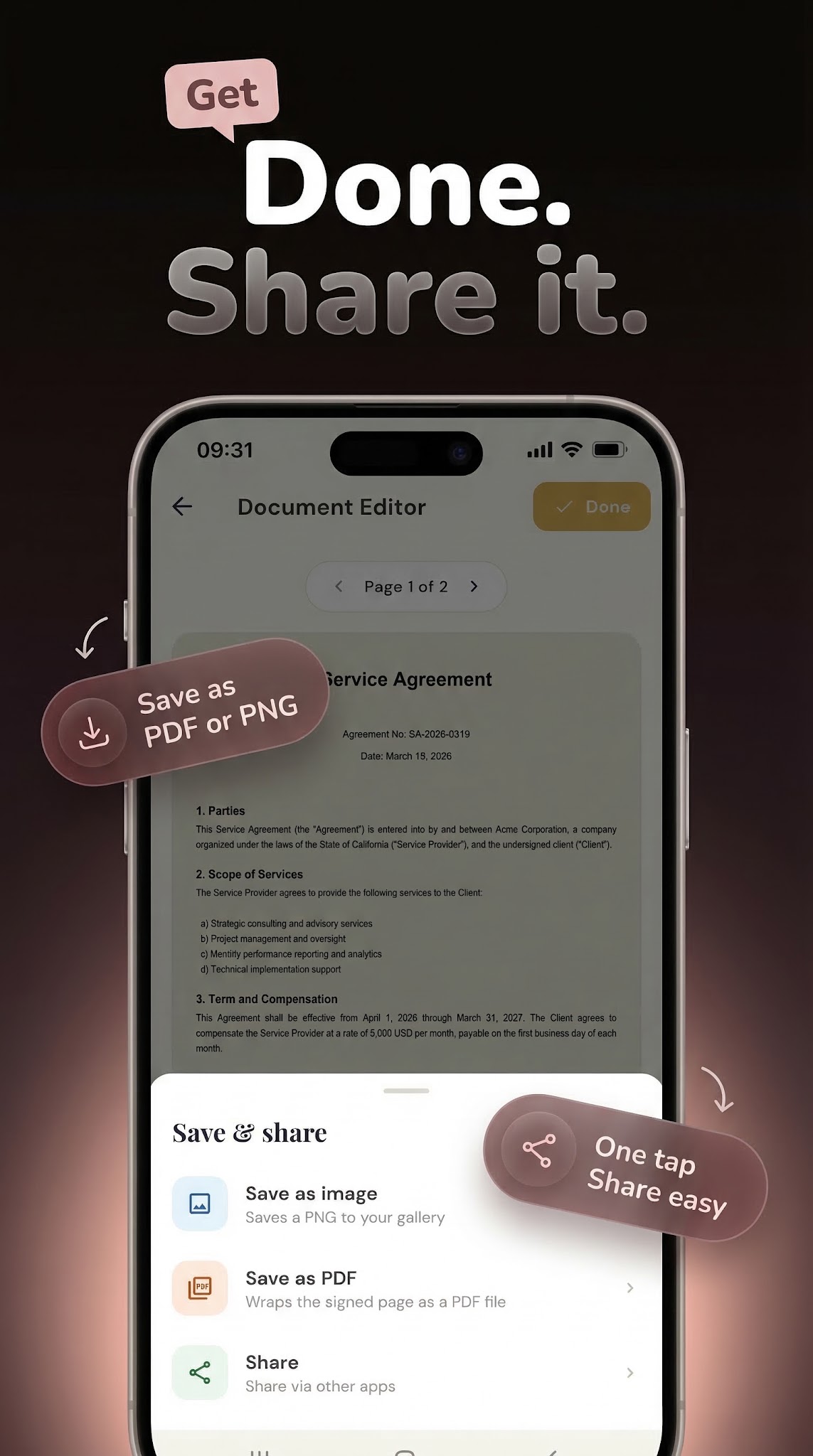
EXPORT AND SHARE

Export your signed documents as PDF files or images. Share directly from the app to email, cloud storage, or messaging apps. Your signed documents look professional and are ready to send immediately.

WHY PEOPLE CHOOSE THIS SIGNATURE APP

This esignature maker works without an internet connection — your documents never leave your device. No account registration required. No cloud storage used. Your data stays private and secure on your phone.

Perfect for freelancers, students, professionals, and anyone who needs to sign documents digitally without complicated enterprise software. From signing a rental agreement to filling out school forms — this signature creator makes digital signing simple.

Download Signature Maker: Sign PDF now and stop printing documents just to sign them.

Screenshots

Signature Maker screenshot 1 — esign pdf android
Signature Maker screenshot 2 — sign documents android
Signature Maker screenshot 3 — digital signature creator free
Signature Maker screenshot 4 — pdf signature app
Signature Maker screenshot 5 — esign pdf android

How it works

  1. 1

    Download Signature Maker for free

    Search for "Signature Maker" on the Google Play or tap the install button on this page. The app is completely free — no payment info required.

  2. 2

    Open and start immediately

    Launch Signature Maker and create digital signature, sign pdf docs and photos. No account or lengthy setup required — just open and go.

  3. 3

    Save and share your results

    When you are done, save your work directly to your device or share it with others. Signature Maker keeps your files on-device by default for privacy.

Why iStack apps?

Free to download

Every iStack app is free to install. Android apps are ad-supported with no IAP; iOS apps may offer optional premium features.

No account needed

Open and use immediately. We do not require sign-up or email to access core features.

Focused & fast

One app, one job. No bloat or feature overload — just what you need, working reliably.

Frequently asked questions

Is Signature Maker free?
Yes, Signature Maker is completely free to download on Google Play. It is ad-supported, so there are no paywalls or subscription fees required.
Does Signature Maker require an account?
No account is required. Download Signature Maker and start using it immediately — no sign-up, no email, no login needed.
What is Signature Maker used for?
Create digital signature, sign PDF docs and photos. Esign maker, document signer
Is Signature Maker available on Android?
Yes, Signature Maker is available for Android and can be downloaded from Google Play.
Does Signature Maker work offline?
Signature Maker is designed to work with minimal or no internet connection for its core features. Some features may require connectivity.
See all →

Ready to try Signature Maker?

Free on Google Play — no account required.

Download on Google Play