AR Measure — ar ruler tape measure android
AR Measure app icon

AR MeasureTape measure & AR ruler

iStack

Tools

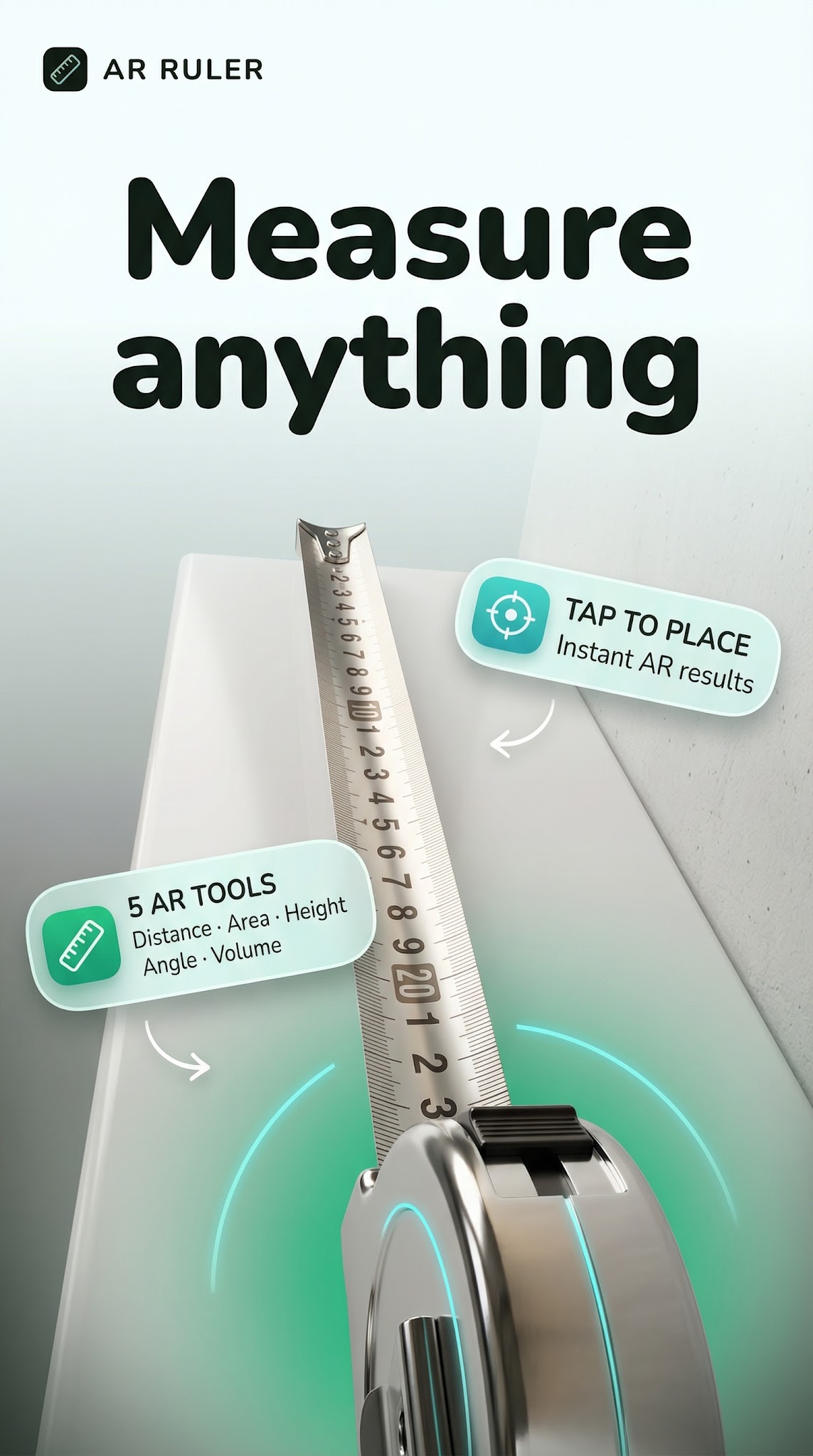
AR tape measure, ruler & room scanner. Measure distance, height & area.
0+Downloads
FreePrice
EveryoneRated
Install on Google Play
Free to downloadNo accountAndroid

Updated Apr 4, 2026

About AR Measure

📐 AR MEASURE — Tape Measure, Ruler & Room Scanner

Measure anything in seconds — distance, height, and room area — using only your phone camera. No physical tape measure, no laser device, no extra tools needed.

🎯 POINT-TO-POINT DISTANCE

Tap two points in your camera view and watch the AR measurement appear instantly. Whether you're sizing up furniture, checking wall spacing, or measuring an object on a shelf, the real-time AR overlay gives you an accurate reading without touching anything.

📏 VIRTUAL RULER & TAPE MEASURE

Keep a free measuring tape and ruler in your pocket at all times. Switch effortlessly between metric (cm, m) and imperial (inches, feet) — perfect for international projects or everyday home tasks.

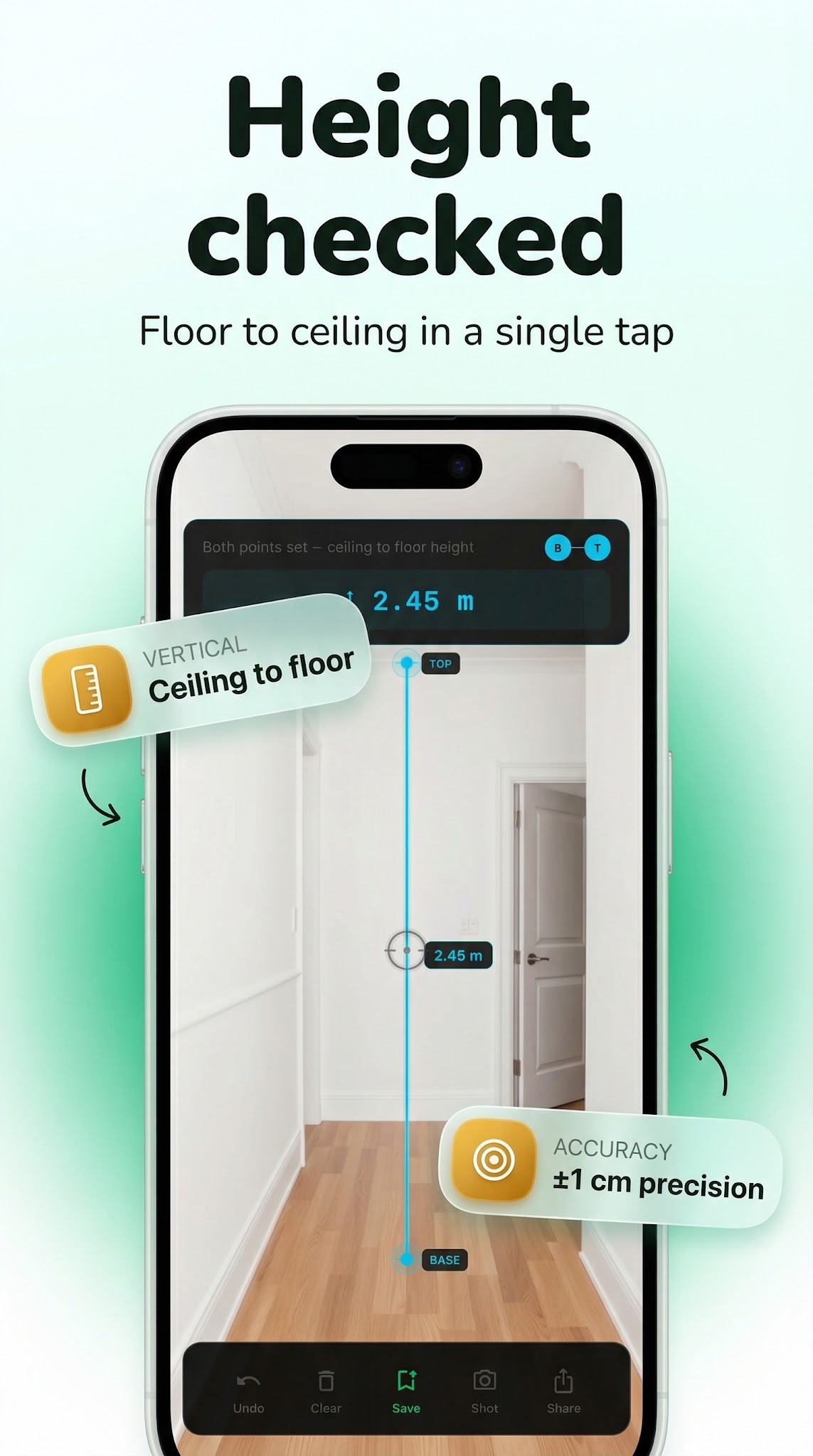
📐 HEIGHT MEASUREMENT

Stand in front of anything — a person, a door frame, a ceiling — and let the AR camera measure the vertical distance from ground to target. The dedicated height overlay keeps your reading stable while you adjust.

🏠 ROOM SCANNER & FLOOR AREA

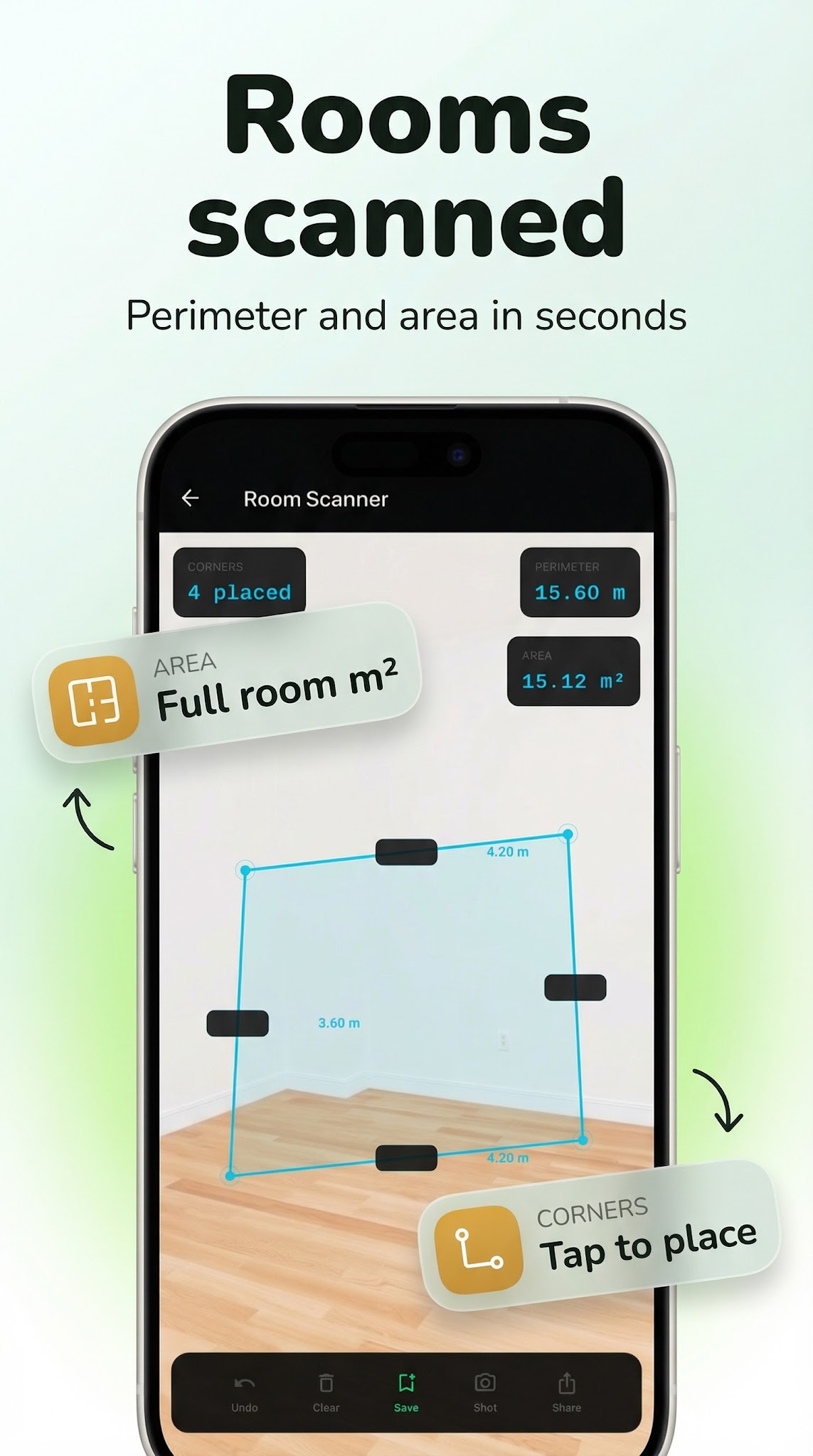
Walk the corners of any room and use the interactive polygon painter to map the floor plan. The app calculates the total floor area automatically — useful for tiling, flooring, renovation planning, or real estate walkthroughs.

💾 MEASUREMENT HISTORY

Every reading is saved to your history automatically. Go back, review, rename, or delete past measurements whenever you need them.

⚙️ BUILT FOR EVERYDAY USE

• Real-time AR camera overlay with visual point markers

• Metric and imperial unit support with one-tap switching

• Offline — no internet connection required

• Clean, minimal interface that stays out of your way

• Persistent measurement history across sessions

• Calibration settings for display and unit preferences

Screenshots

AR Measure screenshot 1 — augmented reality measure app
AR Measure screenshot 2 — ar tape measure android free
AR Measure screenshot 3 — measure distance camera android
AR Measure screenshot 4 — ruler app android
AR Measure screenshot 5 — augmented reality measure app

How it works

  1. 1

    Download AR Measure for free

    Search for "AR Measure" on the Google Play or tap the install button on this page. The app is completely free — no payment info required.

  2. 2

    Open and start immediately

    Launch AR Measure and ar tape measure, ruler & room scanner. No account or lengthy setup required — just open and go.

  3. 3

    Save and share your results

    When you are done, save your work directly to your device or share it with others. AR Measure keeps your files on-device by default for privacy.

Why iStack apps?

Free to download

Every iStack app is free to install. Android apps are ad-supported with no IAP; iOS apps may offer optional premium features.

No account needed

Open and use immediately. We do not require sign-up or email to access core features.

Focused & fast

One app, one job. No bloat or feature overload — just what you need, working reliably.

Frequently asked questions

Is AR Measure free?
Yes, AR Measure is completely free to download on Google Play. It is ad-supported, so there are no paywalls or subscription fees required.
Does AR Measure require an account?
No account is required. Download AR Measure and start using it immediately — no sign-up, no email, no login needed.
What is AR Measure used for?
AR tape measure, ruler & room scanner. Measure distance, height & area.
Is AR Measure available on Android?
Yes, AR Measure is available for Android and can be downloaded from Google Play.
Does AR Measure work offline?
AR Measure is designed to work with minimal or no internet connection for its core features. Some features may require connectivity.
See all →

Ready to try AR Measure?

Free on Google Play — no account required.

Download on Google Play