Speed Test — free internet speed test android
Speed Test app icon

Speed TestDownload & upload checker

iStack

Tools

Test internet speed - download, upload & ping instantly.
0+Downloads
FreePrice
EveryoneRated
Install on Google Play
Free to downloadNo accountAndroid

Updated Apr 1, 2026

About Speed Test

Slow internet ruining your day? Run a speed test in seconds and find out exactly what your connection can actually do.

This internet speed test measures download speed, upload speed, ping, and latency with precision — giving you real numbers, not estimates. Whether you're on WiFi, 4G LTE, or 5G, one tap is all it takes to see your true connection speed on a live speedometer gauge.

📶 SPEED TEST

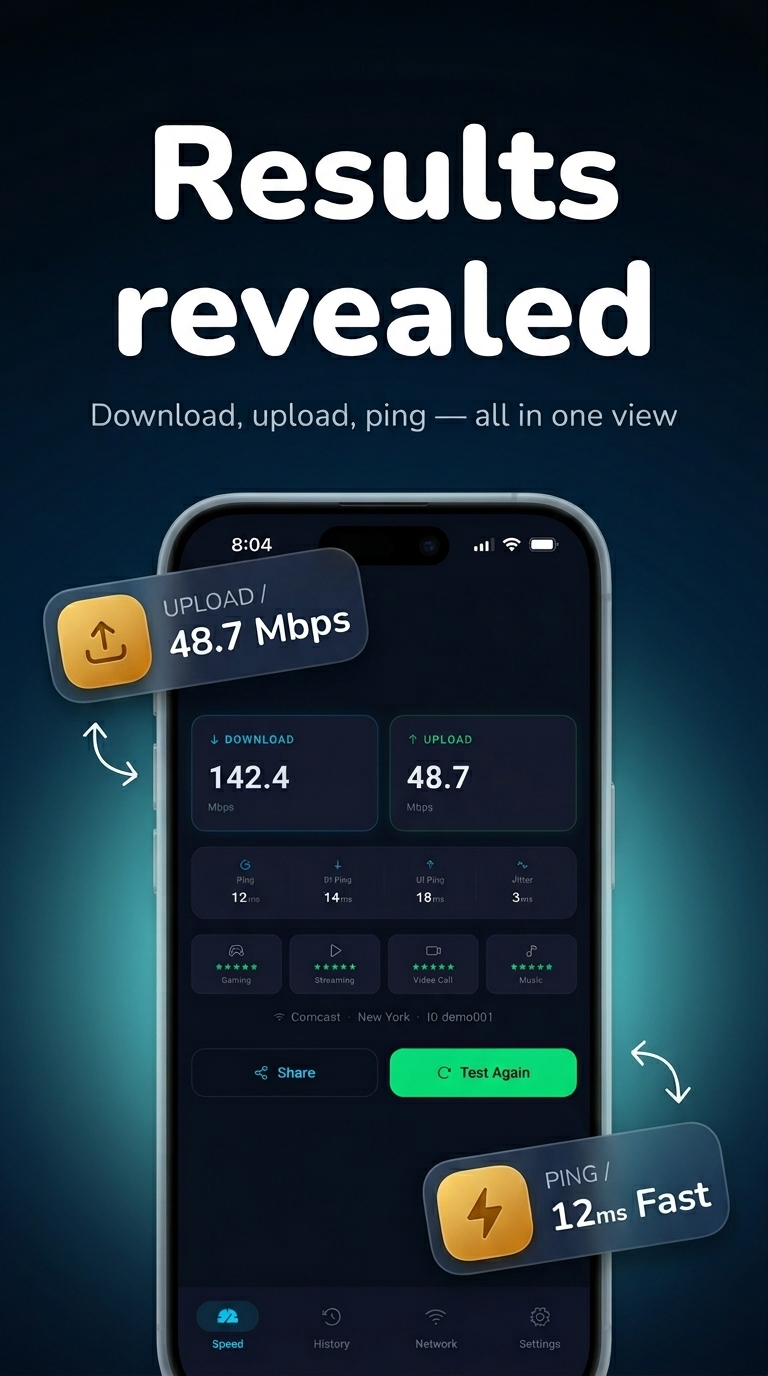
Run an internet speed test and get instant results for download speed and upload speed in Mbps. Test your connection speed on WiFi, mobile data, 4G LTE, or 5G networks. The speed test runs automatically and delivers accurate bandwidth readings the moment you tap. Check internet speed before a video call, gaming session, or streaming — know your connection before it fails you.

Whether you need to check WiFi speed, run a broadband speed test, or verify your 5G data speed, this tool delivers accurate results every time. Test download speed, test upload speed, and measure ping latency in a single tap.

📡 WIFI & NETWORK INFO

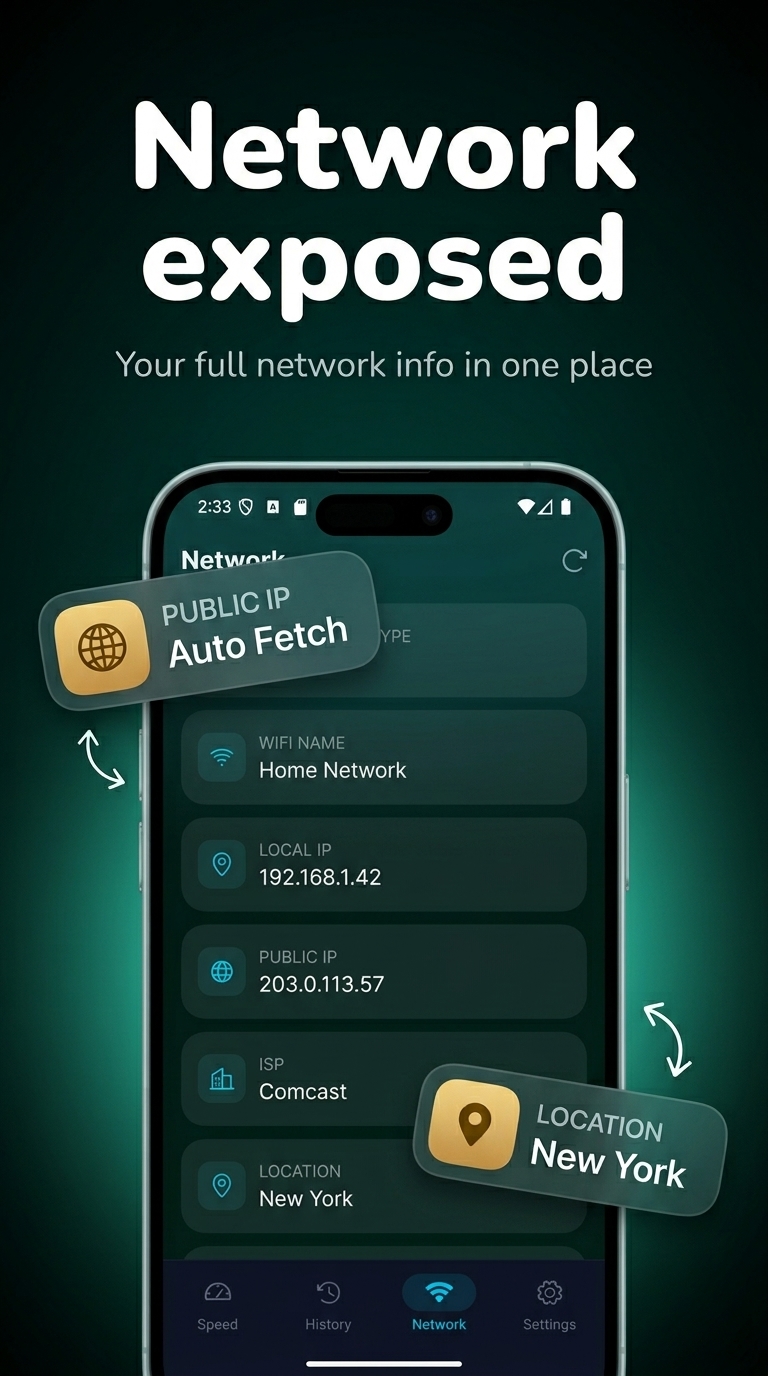
Beyond the speed test, this app gives you a complete picture of your network. View SSID, BSSID, IP address, gateway, and DNS details in one place. Check your network connection status, detect connectivity issues, and understand exactly what your WiFi is doing. Whether you're diagnosing a weak signal or verifying your network settings, the network info screen has the data you need.

Use it to check internet connection quality, analyze your wireless network, and verify network details without needing a separate tool.

📊 DATA USAGE MONITOR

Track mobile data and WiFi data consumption over time. Monitor daily data usage, see exactly how much data you've sent and received, and stay ahead of your data plan. Whether you're on a limited mobile data plan or monitoring WiFi consumption at home, the data usage monitor keeps you informed and in control. No more surprise overages — see your data consumption in real time.

🕐 SPEED TEST HISTORY

Every speed test result is saved automatically. Review your connection history, compare download speed and upload speed across sessions, and track performance trends over time. Use the test history to spot recurring slow internet problems, compare speed across locations, or verify that your internet service provider is delivering the speeds you're paying for.

🔍 CONNECTION DIAGNOSTICS

Detect slow internet problems instantly. Analyze your network performance, identify unstable connections, and troubleshoot internet speed issues without guesswork. Whether your WiFi keeps dropping, your 4G feels slower than it should, or your ping is spiking during online games — run a connection diagnostic and know the cause in seconds.

Use this app to:

• Test internet speed on WiFi and mobile data

• Check download speed and upload speed in Mbps

• Measure ping and latency for gaming and video calls

• Monitor data usage and avoid overages

• View network info — IP address, SSID, gateway, DNS

• Track speed test history over time

• Diagnose slow internet and unstable connections

• Run a bandwidth test, broadband speed test, or 5G speed test

Whether you're testing WiFi speed at home, checking mobile data speed on the go, or running a network speed test to verify your ISP's performance — this speed test app gives you accurate, real-time results you can act on.

Screenshots

Speed Test screenshot 1 — wifi speed test android
Speed Test screenshot 2 — download speed checker
Speed Test screenshot 3 — ping test android free
Speed Test screenshot 4 — network speed test app

How it works

  1. 1

    Download Speed Test for free

    Search for "Speed Test" on the Google Play or tap the install button on this page. The app is completely free — no payment info required.

  2. 2

    Open and start immediately

    Launch Speed Test and test internet speed - download, upload & ping instantly. No account or lengthy setup required — just open and go.
  3. 3

    Save and share your results

    When you are done, save your work directly to your device or share it with others. Speed Test keeps your files on-device by default for privacy.

Why iStack apps?

Free to download

Every iStack app is free to install. Android apps are ad-supported with no IAP; iOS apps may offer optional premium features.

No account needed

Open and use immediately. We do not require sign-up or email to access core features.

Focused & fast

One app, one job. No bloat or feature overload — just what you need, working reliably.

Frequently asked questions

Is Speed Test free?
Yes, Speed Test is completely free to download on Google Play. It is ad-supported, so there are no paywalls or subscription fees required.
Does Speed Test require an account?
No account is required. Download Speed Test and start using it immediately — no sign-up, no email, no login needed.
What is Speed Test used for?
Test internet speed - download, upload & ping instantly.
Is Speed Test available on Android?
Yes, Speed Test is available for Android and can be downloaded from Google Play.
Does Speed Test work offline?
Speed Test is designed to work with minimal or no internet connection for its core features. Some features may require connectivity.
See all →

Ready to try Speed Test?

Free on Google Play — no account required.

Download on Google Play