Hair Cut - Color Changer

AI hairstyle try-on

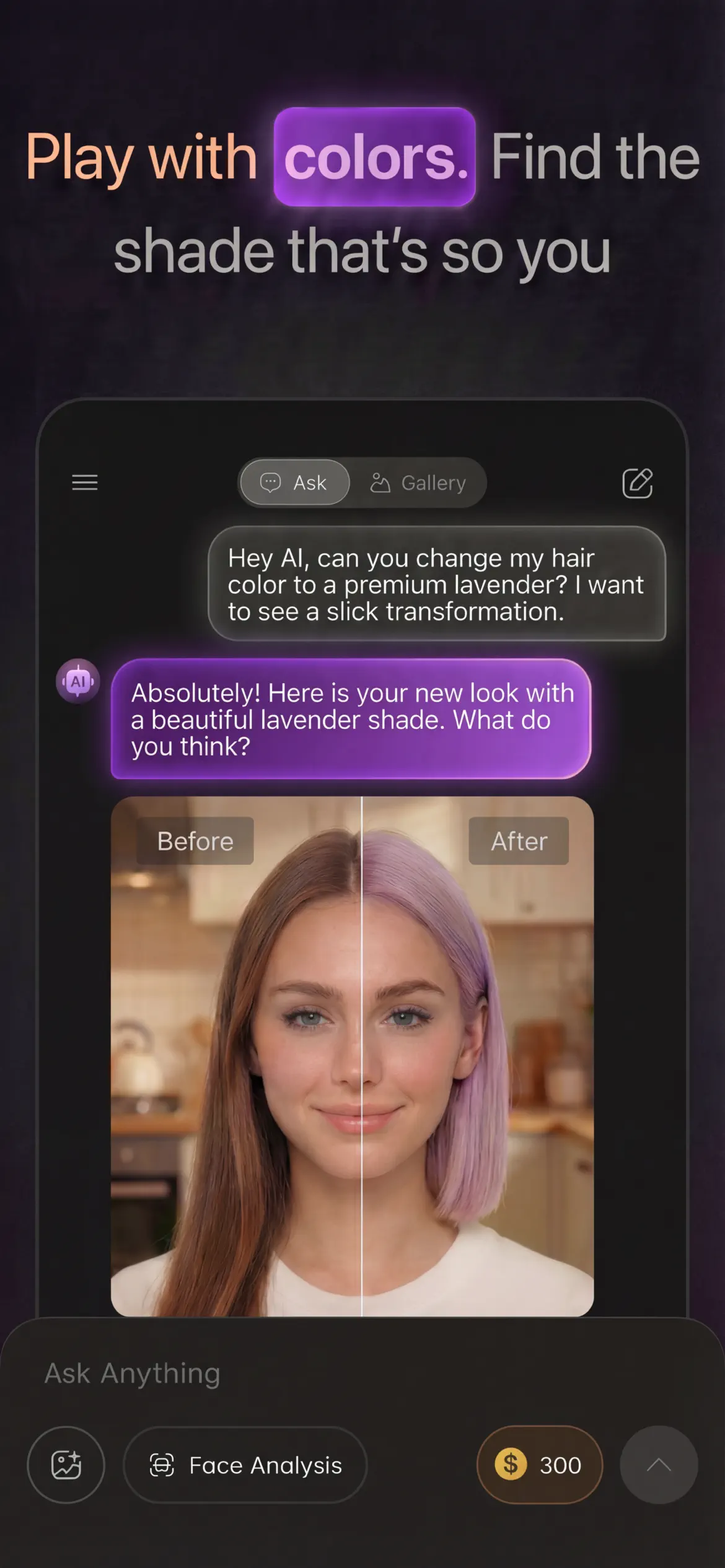
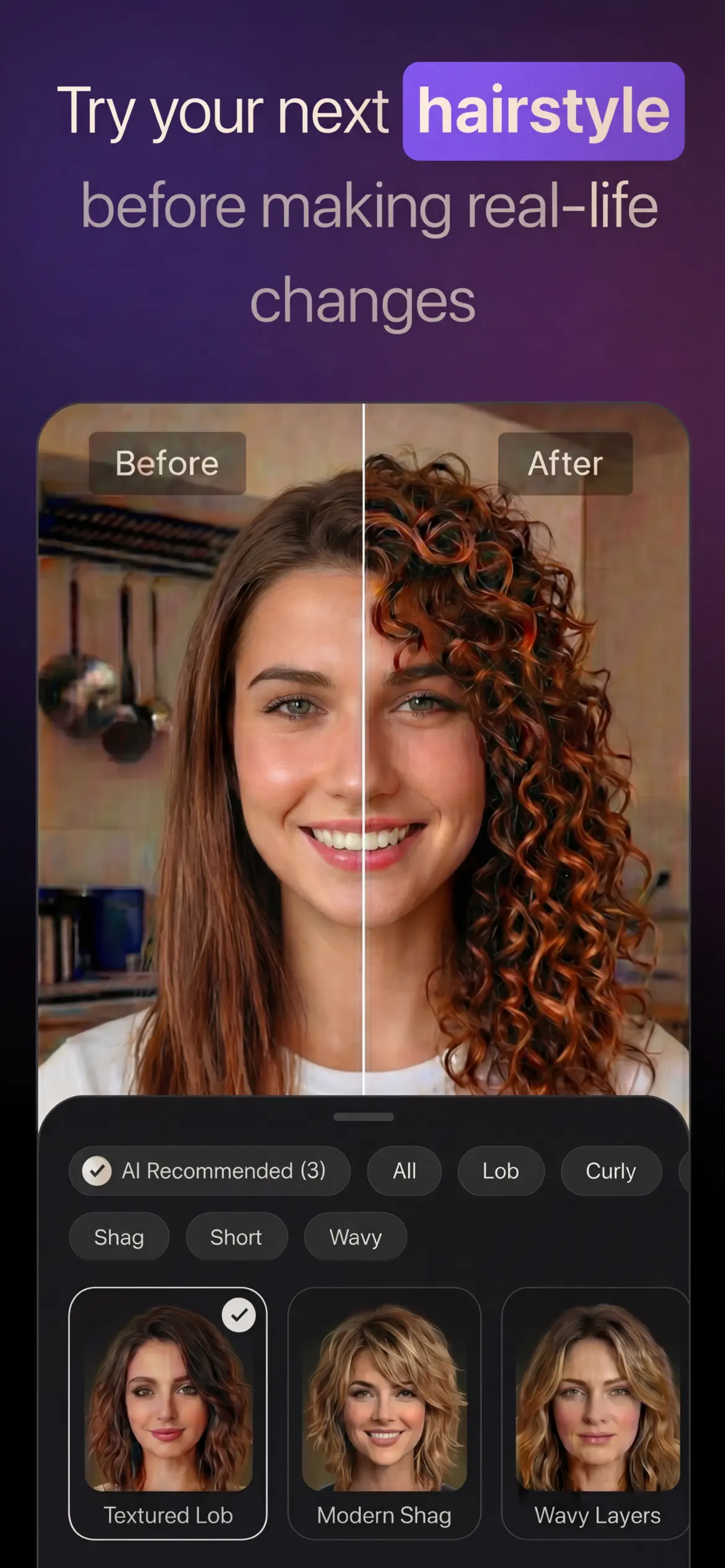
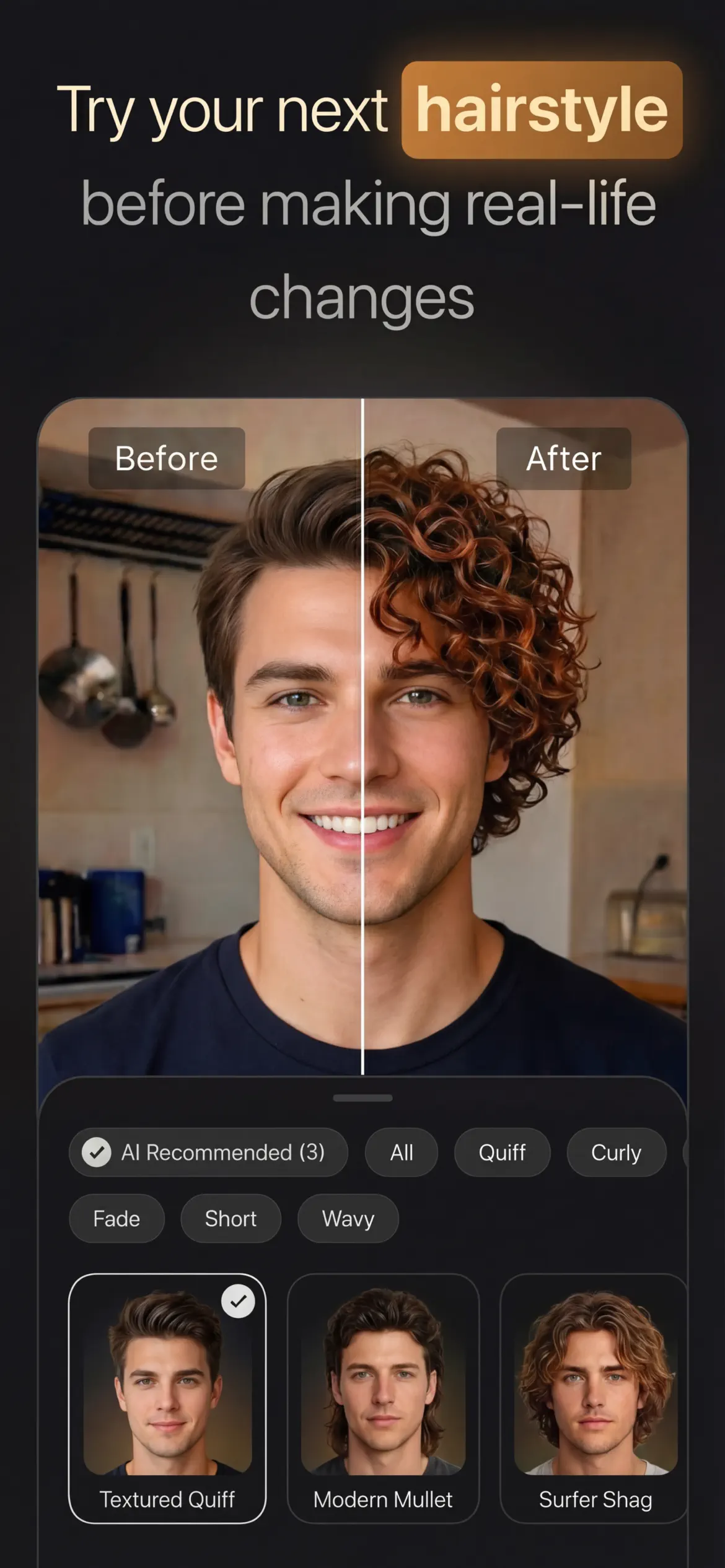
Hair Cut - Color Changer lets you try any hairstyle or hair color in seconds using AI. Upload your photo and preview realistic cuts and shades with smart lighting and automatic hair masking.
Hair Cut - Color Changer screenshot 1
Hair Cut - Color Changer screenshot 2
Hair Cut - Color Changer screenshot 3
iPhone
4.6Rating
FreeReach
FreeStart
AI & PhotoCategory

Screens

The product stays visible.

A cleaner page should make the app easier to judge. Real screens, compact proof, and direct store actions do the work without extra decoration.

Hair Cut - Color Changer screenshot 1
Hair Cut - Color Changer screenshot 2
Hair Cut - Color Changer screenshot 3
AI hairstyle try-on
Upload a selfie and preview haircut ideas, bangs, bobs, long styles, curls, and salon-ready looks before booking a stylist.
Hair color, highlights, and ombre
Try blonde, brunette, black, red, copper, pastel, balayage, highlights, ombre, and vivid shades with realistic blending.
Built for U.S. and Canada salon decisions
Use the app before a haircut, color appointment, wig purchase, content shoot, or style consultation in the United States or Canada.

How it works

Three steps, no friction.

01

Download Hair Cut - Color Changer for free

Search for "Hair Cut - Color Changer" on the App Store or tap the install button on this page. The app is completely free — no payment info required.

02

Open and start immediately

Launch Hair Cut - Color Changer and hair cut - color changer lets you try any hairstyle or hair color in seconds using ai. No account or lengthy setup required — just open and go.

03

Save and share your results

When you are done, save your work directly to your device or share it with others. Hair Cut - Color Changer keeps your files on-device by default for privacy.

About

Hair Cut - Color Changer

iStack
Try on a new hairstyle or hair color in seconds with AI-powered previews that look natural on your own photo. Hair Cut - Color Changer helps iPhone users in the United States and Canada compare haircut ideas, hair color, highlights, ombre, balayage, and salon-ready looks before booking a stylist or making a permanent change.
AI hairstyle try-on for salon decisions
Upload a selfie and preview realistic haircut ideas instantly. Use it before a U.S. or Canada salon visit to compare short cuts, long styles, bangs, curls, layers, and face-framing looks with less guesswork.
Hair color, highlights, ombre, and balayage
Switch between blonde, brunette, black, red, copper, pastel, and vivid fashion colors in one tap. Test highlights, ombre, balayage-style color direction, and shade intensity before you dye your hair.
Fast before-you-dye comparisons
Use the app as a hairstyle simulator before a haircut, color treatment, wig purchase, or content shoot. Save multiple versions, compare looks side by side, and share previews with friends or your stylist for feedback.
App Store facts
Hairstyle Try-On Color Changer is listed on the Apple App Store as a free iPhone app with optional in-app purchases, Photo & Video category placement, 4+ age rating, and iOS 16.6 or later compatibility.

Frequently asked questions

What is Hair Cut - Color Changer used for?
Hair Cut - Color Changer is an iPhone hairstyle try-on app for previewing haircuts, hair colors, highlights, ombre, balayage, and salon-style transformations on your own photo.
Can users in Canada and the U.S. use it before a salon visit?
Yes. The app is useful for users in Canada and the United States who want to compare haircut or color ideas before booking a salon appointment or buying hair products.
Does the app support highlights, ombre, and balayage previews?
Yes. The App Store listing describes hairstyle and hair color previews, including highlights, ombre, and other salon-inspired looks.
Is Hair Cut - Color Changer free to download?
Yes. Hair Cut - Color Changer is free to download on the App Store and offers optional in-app purchases for image edit credits.

Ready to try Hair Cut - Color Changer?

Free on App Store, with a direct path into the core workflow.

Free downloadApp StoreFree